Oct 8, 2026Buying Guides
How to Build an Outdoor Furniture Product Photography Shot List
Build an outdoor furniture product photography shot list with exact-model identity, required views, detail evidence, file mapping and channel-specific outputs.
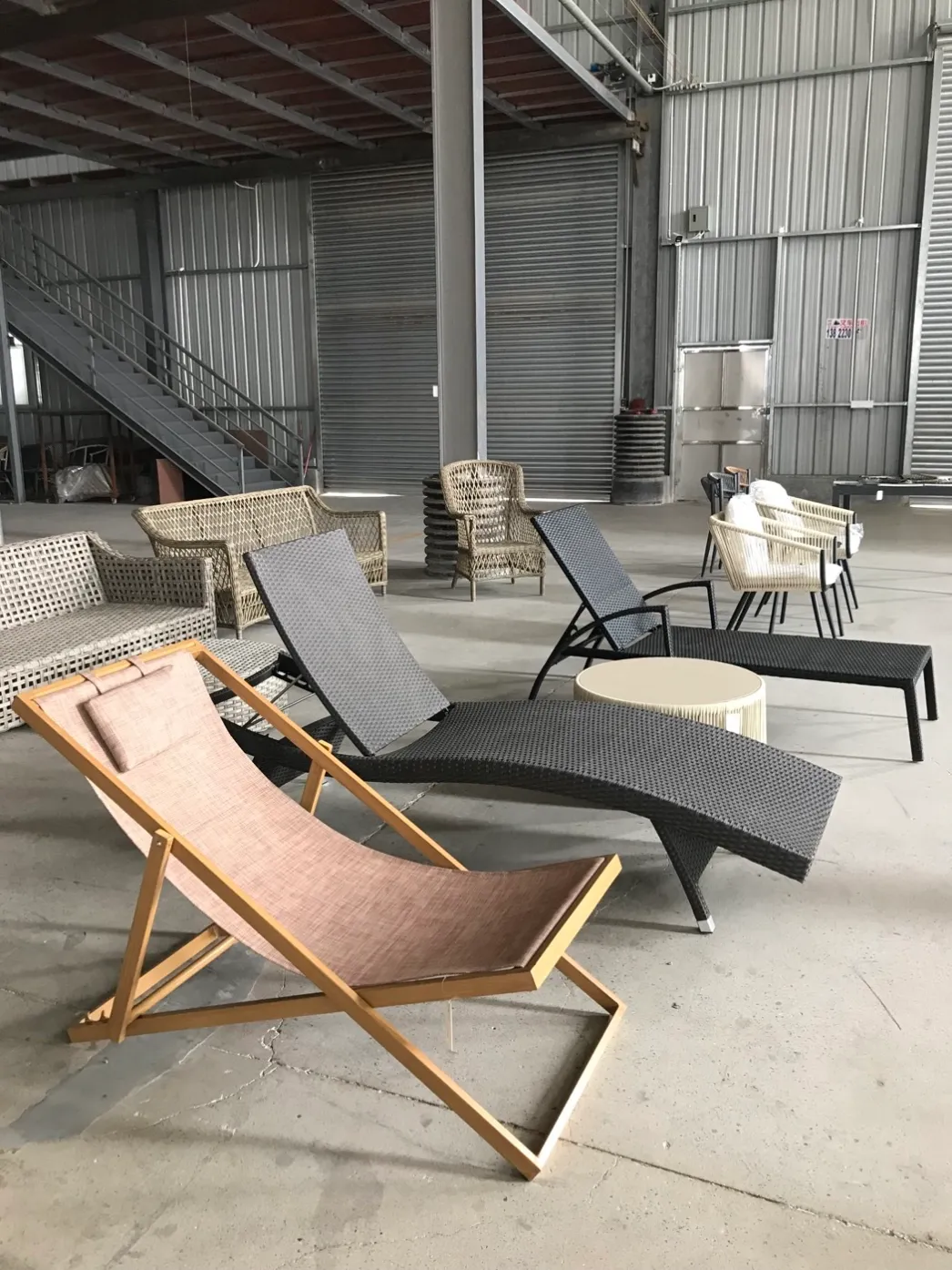
Start the shot list with exact model and variant identity, then assign every image a specific buyer or channel question. Capture a clean primary view, consistent alternative angles, material and construction details, scale or dimension context where approved, component and set composition, packaging or assembly evidence when needed, and a clearly labelled application image. Record file names, ownership, revision status, colour reference and permitted use. Keep concept scenes separate from exact-product evidence and never reuse one generic photograph across different models when the image is meant to identify the item.
Owned DM Furniture showroom photograph used as image-planning context. It is not an exact-model shot list or a completed customer installation.
Write the product identity at the top of the brief
Use the exact model code, product name, variant, finish, textile or cushion reference and set composition that the images should show. If a chair is available with different weaving or a table has more than one top option, do not combine variants under an unlabeled folder.
Decide which approved sample or production unit is being photographed. A catalogue image from an older revision should not silently represent a changed frame, material, component or finish.
Give every image a job
A large image library can still fail a distributor when every photograph shows the same attractive three-quarter angle. The buyer needs identity, proportion, materials, details, composition and use context. Assign a purpose before the camera is positioned.
Use a consistent orientation and scale across comparable products when the images will appear together in a catalogue or product grid. Lifestyle scenes can add context, but they should not replace the clean exact-product views used for comparison.
Build the shot list by decision task
Image role | What the frame should answer | Control note
Primary product view | What exact item or complete set is being offered? | Clean background, consistent orientation and unobstructed product
Alternative views | What are the side, rear, top and relevant underside relationships? | Keep view names and framing consistent
Material details | What frame, weave, surface, fabric or cushion details are visible? | Do not infer a material that is not confirmed
Function and components | How do modules, loose parts, folding or assembly points relate? | Show only the applicable configuration
Scale or dimensions | How can the buyer understand proportion? | Use approved dimensions and clearly separate graphics from photos
Application context | How might the product be placed and combined? | Label generated or illustrative scenes; do not imply a completed project
Control colour and surface representation
Use a consistent light source, white balance and editing method. Keep an approved finish or colour reference available during review. A screen image cannot guarantee an exact physical match, so avoid language that promises perfect colour reproduction across devices.
Do not remove a construction feature, change proportions, substitute a material or make a product appear to have a variant that is not verified. Basic background cleaning and exposure correction should preserve the actual product evidence.
Name files so they remain usable outside the folder
A useful file name connects the asset to model, variant, view and revision. Keep a separate index with image role, Alt text, caption, owner, approval status, permitted channel and source file. Stable names help distributors update web pages and catalogues without losing product identity.
Do not place customer names, private order numbers or internal-only information in public file names or image metadata. Use controlled public identifiers.
Separate evidence images from concept scenes
An exact-model photograph should show the product that the title and data describe. A generated hospitality, garden or poolside scene can support planning, but it should be disclosed as illustrative and checked so it does not change the product's structure or materials.
For comparison and product-detail pages, prioritize real product views. For inspiration content, place the concept image near text that explains its purpose and link readers to the verified product or category records.
Prepare channel outputs from one controlled master
Keep the highest-quality approved source file and derive channel versions without overwriting it. Record aspect ratio, crop, background and size requirements for each destination. A marketplace primary image, distributor catalogue page, website card and project presentation may need different crops or supporting views.
The importer and distributor page shows how product categories and verified models can connect to an RFQ path. Browse all product categories before planning a collection-wide image brief.
Common questions
Q: How many images should one furniture model have?
A: Use enough views to answer the buyer's identity, proportion, material, component and channel questions. The right count depends on product complexity and destination requirements rather than a universal number.
Q: Should lifestyle images be the primary product image?
A: Only when the channel allows it and the exact product remains clear. Many product systems prefer a clean primary view, with lifestyle context supplied separately.
Q: Can one image represent several similar models?
A: Not when the image is used as exact product evidence. Shared category imagery can introduce a collection, but product records should map to the correct model and variant.
Q: Can AI improve a product photograph?
A: It may help with a disclosed context or controlled cleanup, but it should not alter structure, material, colour, proportions or features. Keep the real source and approval record.
Plan image requirements with the model shortlist
Send the target models, variants, sales channels, intended markets and required image roles with the RFQ. DM Furniture can clarify available product images and identify which assets or product facts still need confirmation.
Discuss models and distributor content needs
Browse outdoor dining chairs, outdoor sofa sets or sun loungers and beach chairs to identify the product families for the brief.
Further reading
The GS1 Product Image Specification Standard explains image roles, views and asset metadata. Google Merchant Center image guidance illustrates clean primary-image and additional-view requirements. These are external channel references, not a claim that DM Furniture uses GTINs or Merchant Center.
Related links
importer and distributor page — https://www.dmfurnitures.com/outdoor-furniture-importers-distributors
GS1 Product Image Specification Standard — https://www.gs1.org/standards/gs1-product-image-specification-standard/current-standard