Buying Guides
Hotel Outdoor Furniture Site Punch List: Check Each Zone Before Handover
Use a zone-by-zone outdoor furniture punch list to record model counts, visible condition and open issues before hotel terrace or poolside handover.
Direct answer. A hotel outdoor furniture site punch list should be organized by operating zone, not just by purchase-order line. After the pieces have been placed, record the exact model and location, expected and observed quantity, visible condition, cushion or movable-component fit, and any issue that could prevent the area from being used as intended. Give every open item a photo, owner, agreed next action and review status. Keep delivery discrepancies, site damage and unresolved specification questions separate until the responsible parties have checked the evidence. A zone is ready for handover only when the hotel's authorized team has reviewed the open items and made the release decision.
An arrival check answers whether the correct cartons or units reached the property. A site punch list answers a later question: can each outdoor area be handed over in its present condition? Those decisions should not be collapsed into one signature. A carton can arrive correctly while a placed chair has a visible mark, a cushion is attached to the wrong model, or an operating route needs another look. Conversely, a site note is not proof that a supplier caused the condition. Record what is seen first; determine cause and responsibility with the evidence and the relevant contract.
Start With The Operating Zone
Create one line for each pool deck, restaurant terrace, balcony group or lounge area that will be released separately. Give the zone a stable name used by the project, operations and purchasing teams. Walk the area against the approved furniture schedule, not an informal memory of the order. Note model identifiers, quantities and intended positions. Where the schedule itself differs from the final approved order, stop and resolve that document conflict before treating it as a product defect.
For a pool deck, consider walking clearance, the position of movable loungers and where cushions will be taken during operations. For a dining terrace, check the actual chair-and-table arrangement against service circulation. For a lounge, check whether modules and loose pieces match the approved layout. These are prompts for the hotel's site and safety decision-makers, not universal clearance measurements or engineering approval supplied by DM Furniture.
Record Observations Without Guessing The Cause
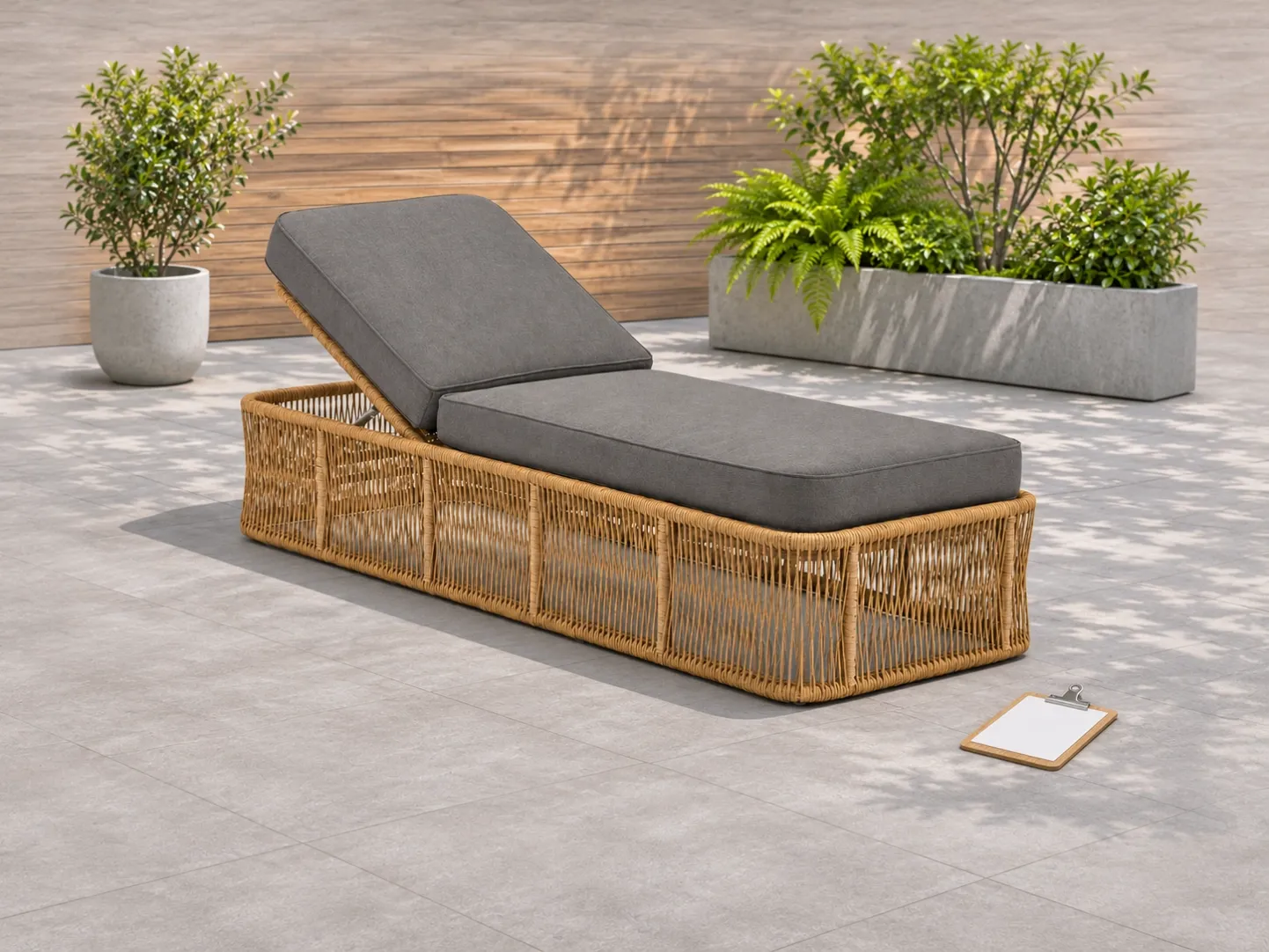
Inspect each placed item in normal light and record a close photo plus a wider photo that identifies its zone. Note what is visible: finish marks, uneven contact with the floor, loose or missing components, incorrect cushions, or an adjustment that cannot be used as expected. If the item is adjustable, record the exact model and observed position rather than assuming all mechanisms operate alike. For example, D50087 is a public adjustable-lounger reference (view model D50087); its listing is a model reference, not evidence of a particular hotel installation or a site-tested performance claim.
Keep three records distinct: the receiving record for arrival differences, this post-placement site observation, and the eventual corrective decision. A visible mark does not, by itself, establish when or how it occurred. Use the delivery-discrepancy record (delivery discrepancy guide) for the arrival stage, and the defect-classification guide (defect classification guide) when the team needs consistent descriptions of repeated issues.
Use A Zone-Release Decision Sheet
Record field | What to enter | Why it matters |
Zone and item reference | Area name, approved model code, item/location ID | Prevents a fix or replacement from being assigned to the wrong terrace or model. |
Approved baseline | Schedule revision, approved sample or PO reference | Separates a changed specification from a physical issue. |
Observation and evidence | Plain-language finding, wide and detail photos, date | Allows the receiving, site and supplier teams to review the same evidence. |
Impact on zone use | What activity is affected; who assessed it | Stops an unverified issue from being called either harmless or unsafe. |
Action owner and next review | Named responsible party, action, status and review date | Keeps an open item from disappearing in email. |
Release decision | Hotel-authorized reviewer and decision date | Makes acceptance a decision by the right party, not an automatic result of a photo upload. |
Use statuses such as open, action proposed, ready for review and closed by authorized reviewer. A supplier's “done” message is not the same as the hotel's acceptance. This is a workflow distinction, not a promise that every project uses the same software. Procore's punch-list workflow (Procore punch-list workflow) similarly separates an assignee's ready-for-review step from final closure; follow the actual project contract and approval chain.
Carry Open Items Into The Next Decision
At the walkthrough end, export an open-item list by zone and owner. Keep the zone release decision separate from procurement closure: a terrace may be usable with a documented minor item, or it may need a hold, depending on the hotel's authorized assessment. Never invent a universal acceptance threshold. If a product question is for DM Furniture, send the exact model code, approved reference, photos and a precise question. Do not assume replacement parts, site visits or a warranty remedy are available until they have been confirmed for that order.
Once the property takes over day-to-day care, move relevant model references and unresolved maintenance notes into the maintenance handover file (maintenance handover guide). Do not turn this one-time site punch list into an endless operations log.
Buyer Checklist Before Sign-Off
• Is every outdoor zone named in the approved schedule and represented in the walkthrough?
• Are model codes, placed counts and layout references consistent with the approved record?
• Does each issue have a zone, item ID, observed condition and usable photo evidence?
• Are arrival discrepancies distinguished from issues first seen after placement?
• Has the responsible project party been assigned, without guessing supplier liability?
• Did the hotel's authorized reviewer record a zone-release decision and remaining open items?
Frequently Asked Questions
Is the site punch list the same as the delivery discrepancy record?
No. The delivery record is made when goods arrive. The site punch list is a later, area-by-area record after placement. Link them by model and evidence, but keep their dates and decisions separate.
Should every visible mark block an outdoor zone from opening?
Not automatically. Record the observation and let the hotel's authorized site and operations team judge use impact under the project rules. This article does not set a safety or contractual acceptance threshold.
Who closes a punch-list item?
The person or team authorized in the project's approval chain. A supplier can report an action as complete, but the reviewer should verify the evidence before the item is closed.
What should I send the furniture supplier about an open item?
Send the exact model code, approved reference, location, dated photos, what was observed and the specific clarification requested. Avoid an unsupported diagnosis or a general claim that all units have the same issue.
Planning a new hotel or resort order? Send a model-based shortlist, zone schedule and the handover records your team expects through Contact DM Furniture (contact DM Furniture). Ask for product-specific clarification before finalizing your RFQ; this is not an offer of installation or on-site inspection.
Cover note: Concept scene derived from DM-owned D50087 product photography. It illustrates an outdoor walkthrough; it is not a photograph of an actual hotel project, installation or completed inspection.